A follow-along script for the site-admin tools in the Wagtail admin. Sign in as a superuser and work through each scenario; every step lists what you should see. Use a test centre (e.g. one created by a fresh director sign-up).
The map below is the quick reference for every member action (and its guardrails). Work through the numbered checks underneath.
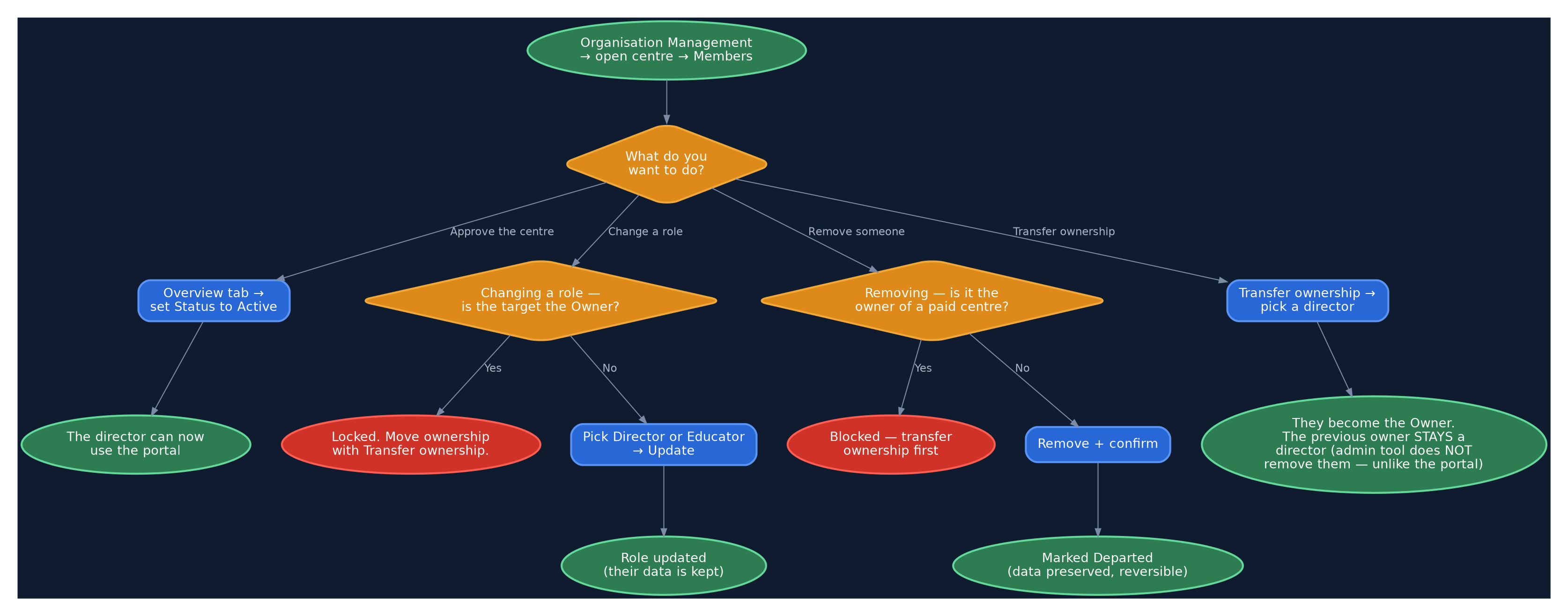
Every site-admin member action at a glance.
1. Approve a pending centre
- Have a director register a new centre — it's created Pending review.
- Organisation Management → open that centre → Overview tab.
- Set Status to Active → Save.
- ✅ Sign in as that director — the portal (and Manage Members) is now available.
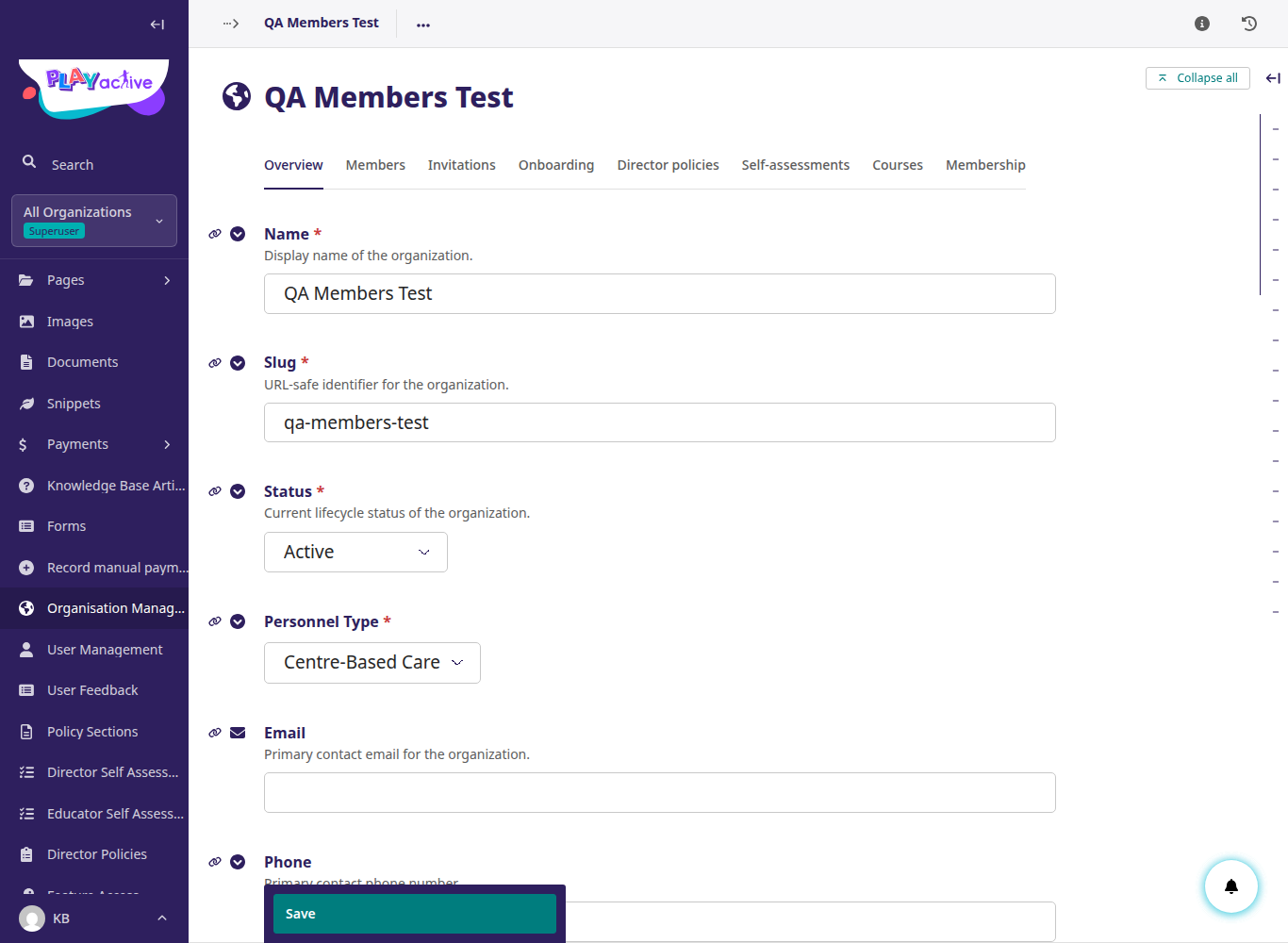
Approve a centre by setting Status to Active on the Overview tab.
2. Add an existing user to a centre
- Open the centre → Members tab → + Add member.
- Search an existing account by email, pick Educator (or Director), and add.
- ✅ They appear as an active member with that role.
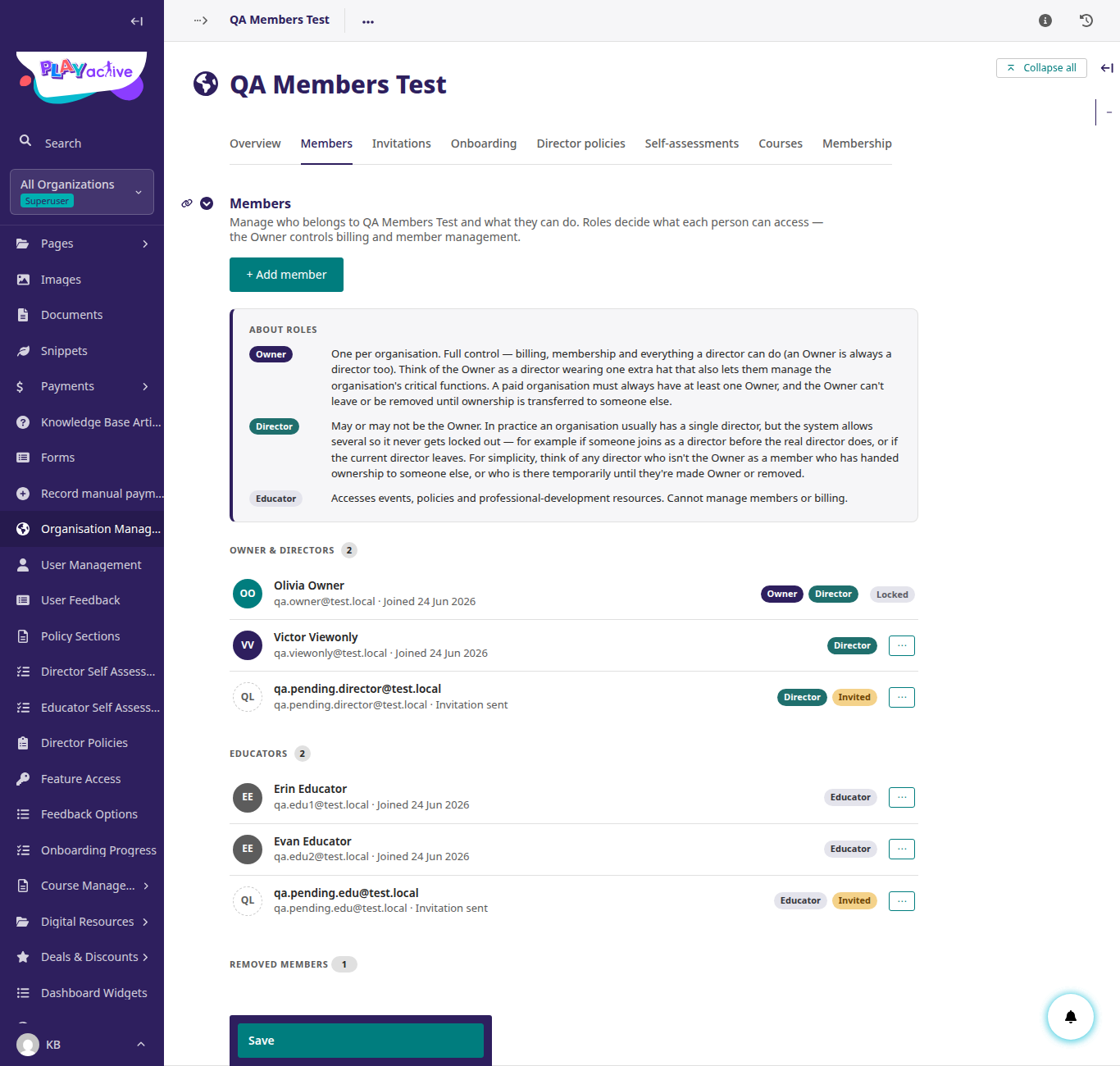
The Members tab, where + Add member lives.
3. Change a member's role
- On the Members tab, change an Educator to Director (or back).
- ✅ Their role badge updates. Note the owner can't be set this way.
4. Transfer ownership
- Members tab → Transfer ownership → choose another director.
- ✅ That person becomes the owner; if they were an educator they're promoted to director first.
- ✅ Confirm the previous owner is still an active director (the admin tool does not remove them — unlike the portal handover).
5. Remove a member
- On a member's row, Remove.
- ✅ They become Departed and lose access.
- Try removing the owner of a paid centre. ✅ It's blocked until you transfer ownership first.