A single story to follow end to end in the centre portal. You'll play a director called Sam who starts a centre, runs it, then hands it on — seeing exactly what an owner experiences at each stage.
Setup note: a new sign-up creates the centre in pending review; a site admin must activate it before the portal is usable (see the Site-admin test guide).
Stage 1 — Sam creates a centre (pending)
- Register on the website as a Director, choosing “My service is not listed”.
- ✅ The centre is created pending review; Sam's dashboard shows a pending notice and Manage Members is not yet available.
Stage 2 — After approval, Sam runs the centre
Once a site admin activates the centre, Sam signs back in. ✅ Manage Members appears, showing the full screen.
- Invite educators → an email appears under Invited; Resend / Revoke both confirm first.
- Remove an active educator → they move to Departed; Re-invite sends a fresh invitation.
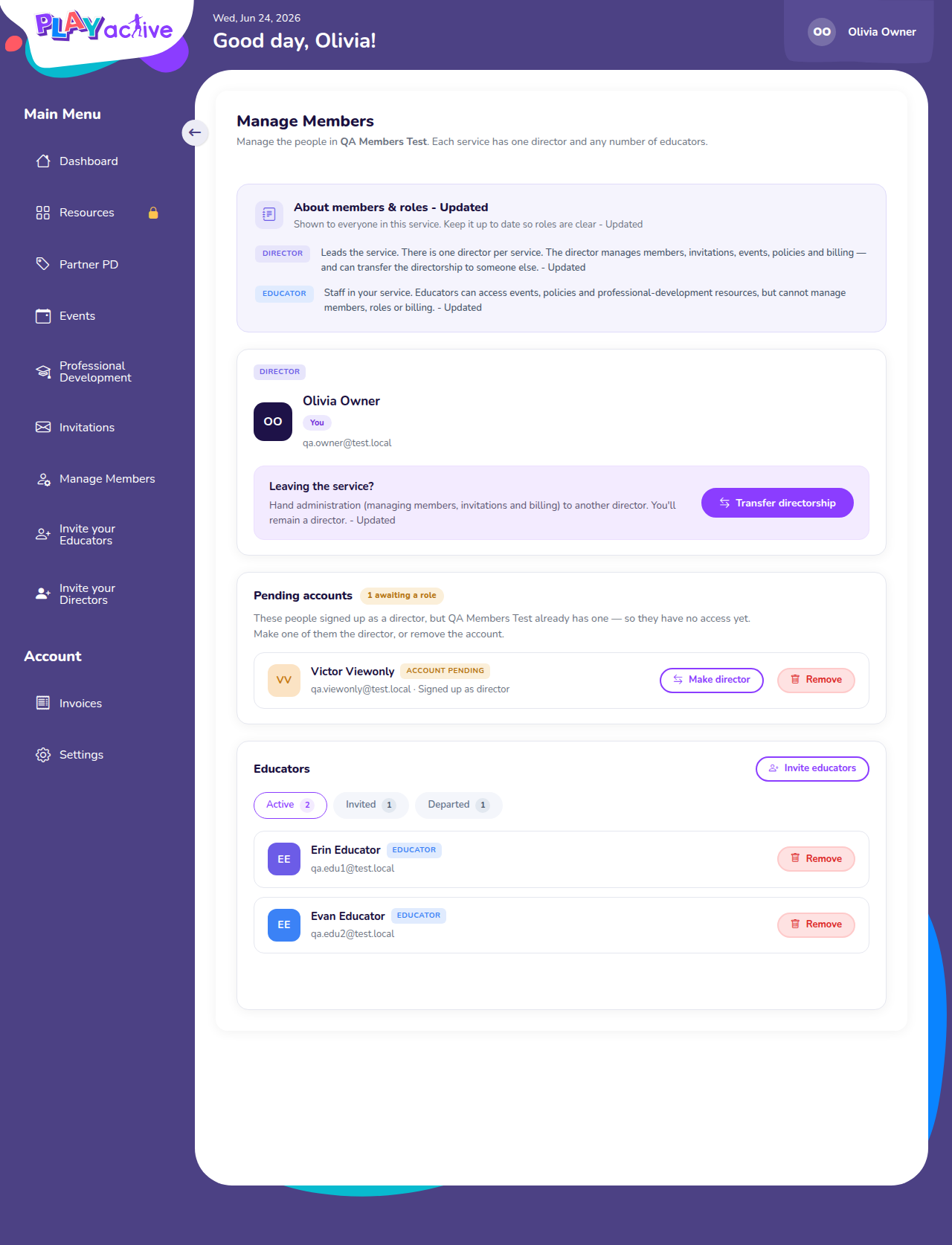
Expected: the full owner view after approval.
Stage 3 — A colleague signs up and waits
- In another browser, register Alex as a Director for Sam's centre.
- As Alex, open Manage Members. ✅ Alex sees the pending-role notice — no team list.
- As Sam, refresh. ✅ Alex appears under Pending accounts with Make director and Remove.
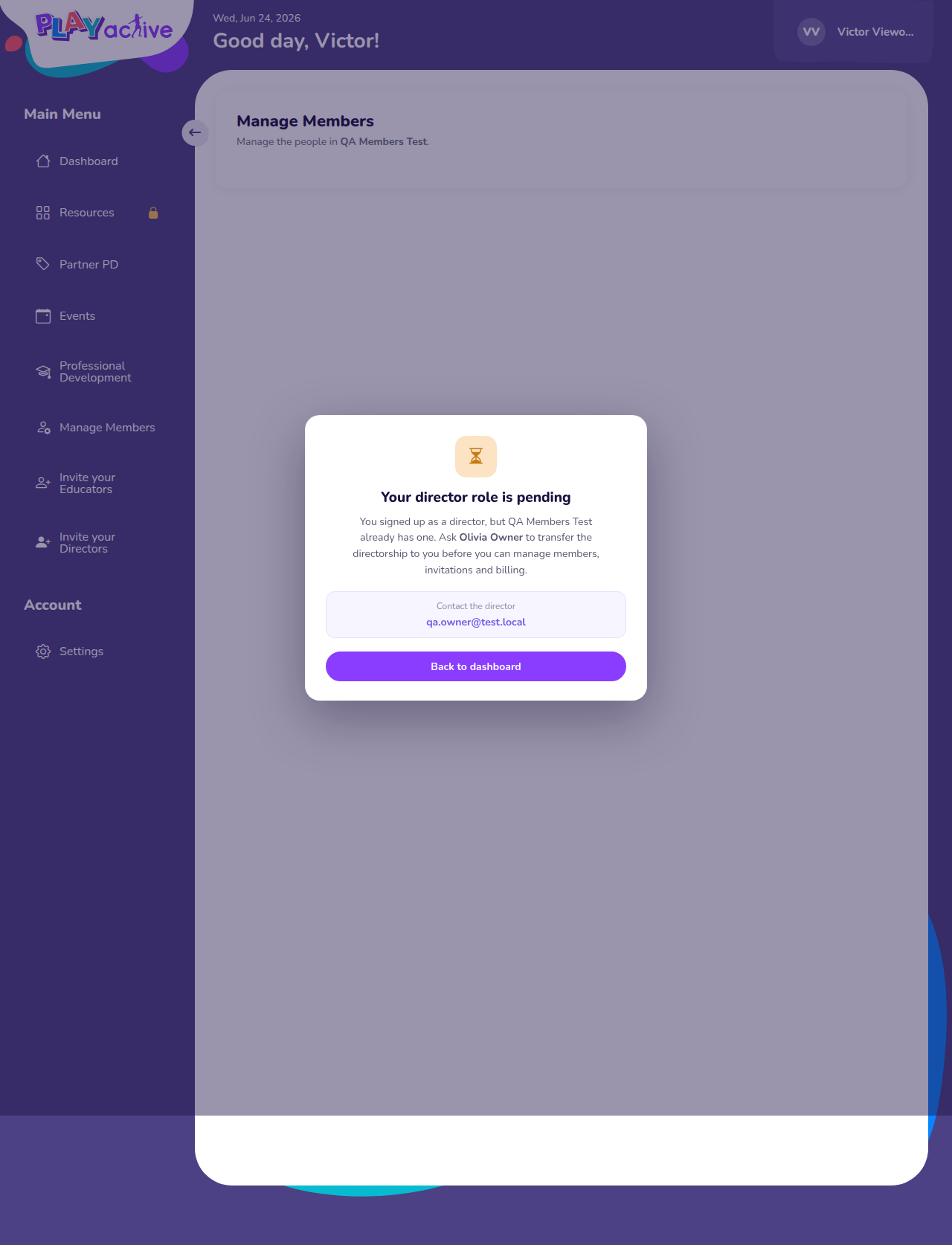
What Alex (a pending director) sees.
Stage 4 — Sam hands the centre to Alex
- On Alex's row, Make director → read the Review step → tick the box → confirm.
- ✅ Sam lands on the account deactivated page naming Alex.
- Sign in as Alex. ✅ Alex is the owner now, with the full screen; all the centre's data came across.
This is irreversible — do it last or reset your test data.
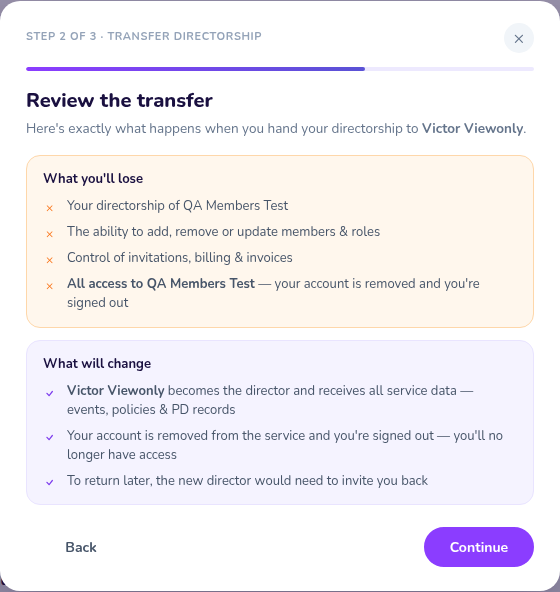
The review step Sam confirms before handing over.
Stage 5 — The deactivated view
Sign in again as Sam. ✅ Sam is sent straight to the account deactivated page every time, with Alex's contact details.
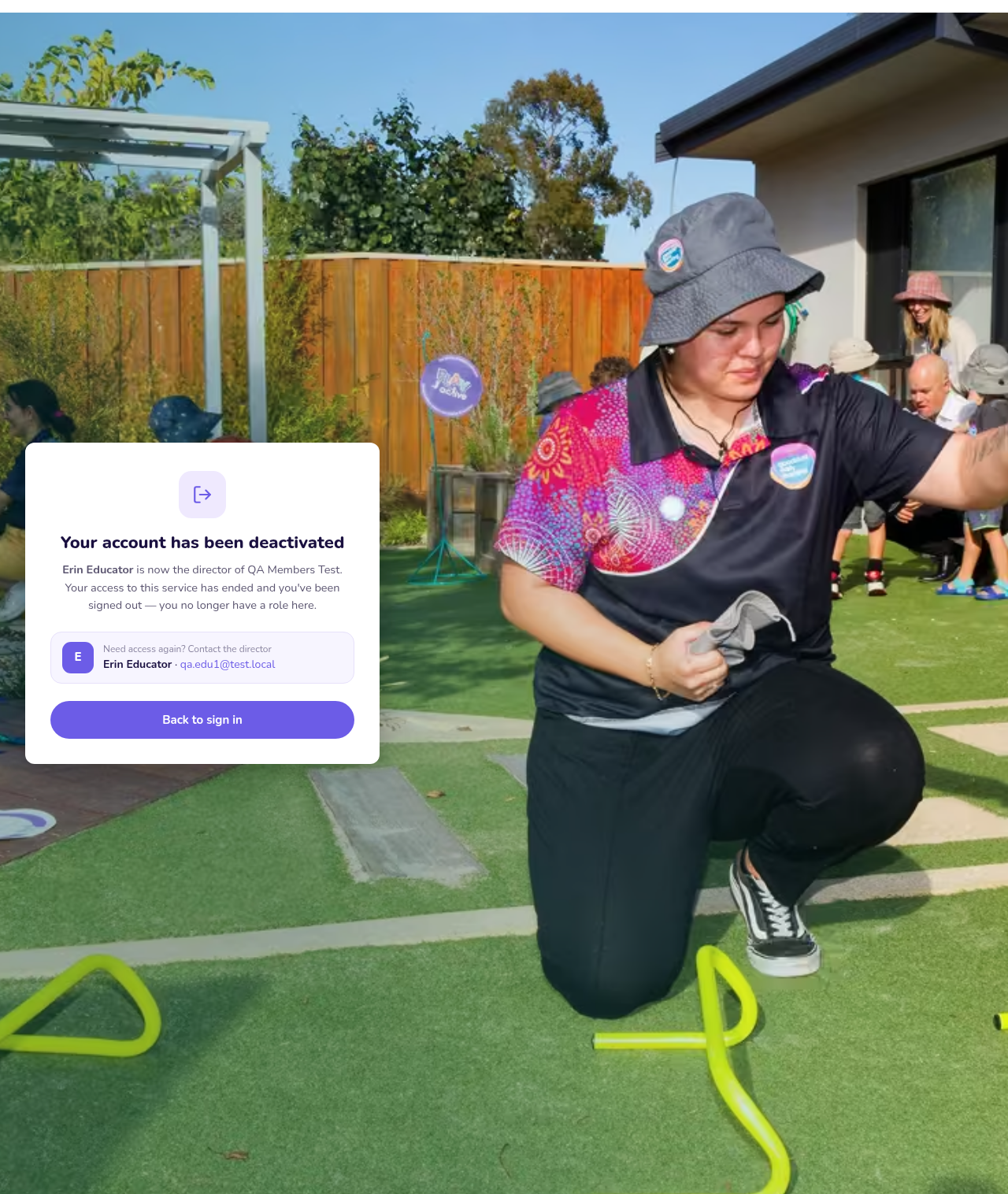
Sam's view after handing the centre to Alex.
Stage 6 — Hand over to someone brand-new (variation)
Reset, then Transfer directorship → Invite a new director instead → enter an email. ✅ A transfer pending banner appears and you keep access; the handover only completes when they accept — then you're signed out. Cancel transfer calls it off before they accept, and you can't start a second transfer while one is pending.

The pending banner while waiting for the new director.