During testing you often need a user to be “past” the Professional Development onboarding step without clicking through every lesson. You can force-complete their course from the Django admin.
⚠️ Do not do this in production. It bypasses the real lesson flow and is for test environments only.
1. Open the Django admin
Go to /django-admin/ and sign in with a superuser account. (This is the Django admin, not the Wagtail CMS admin.)
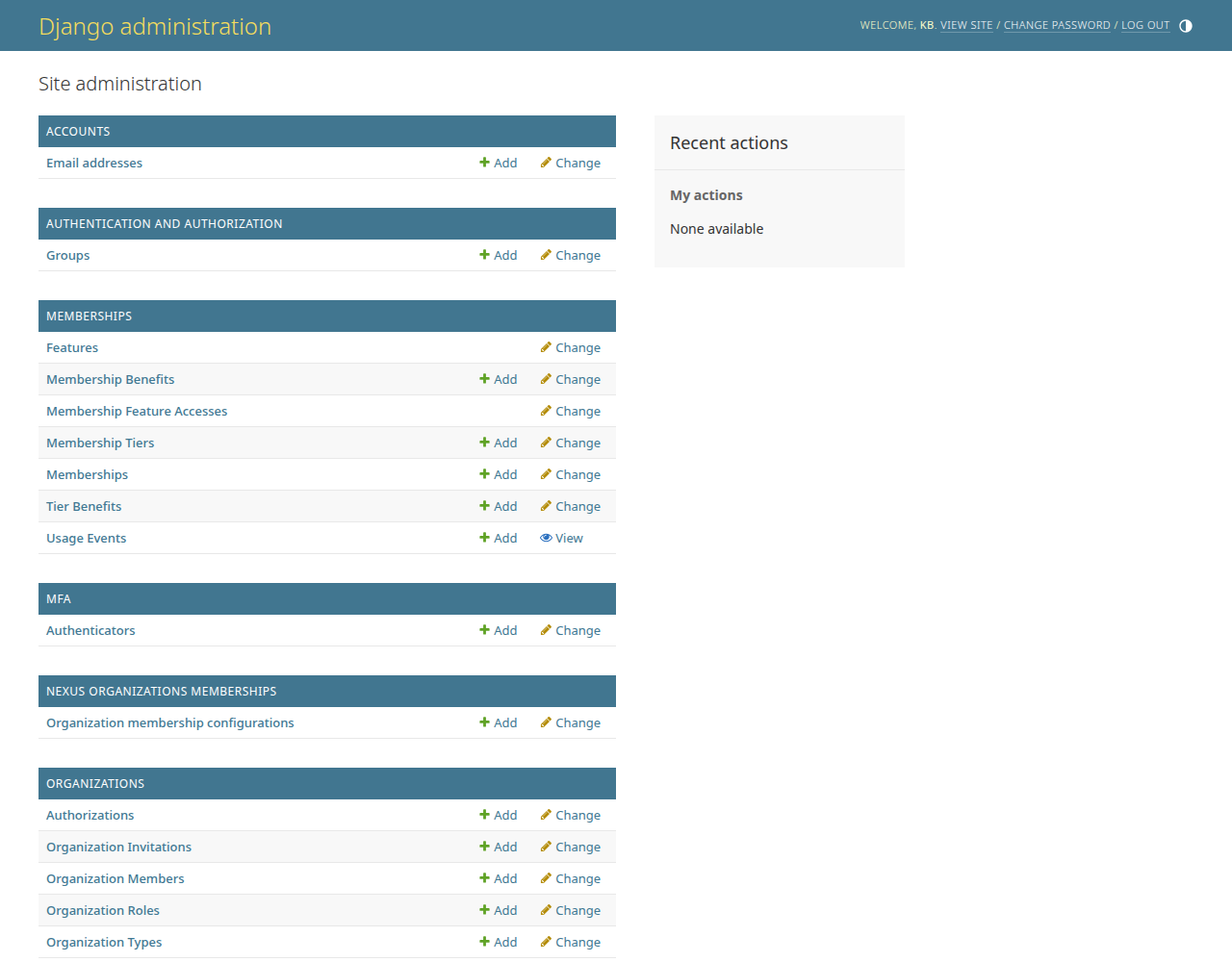
The Django admin home. Scroll to the Playactive section.
2. Open Courses and search by email
- Under Playactive, open Courses.
- Search the user's email address → Search.
- ✅ Their enrolled course(s) appear, with status and completion percentage.
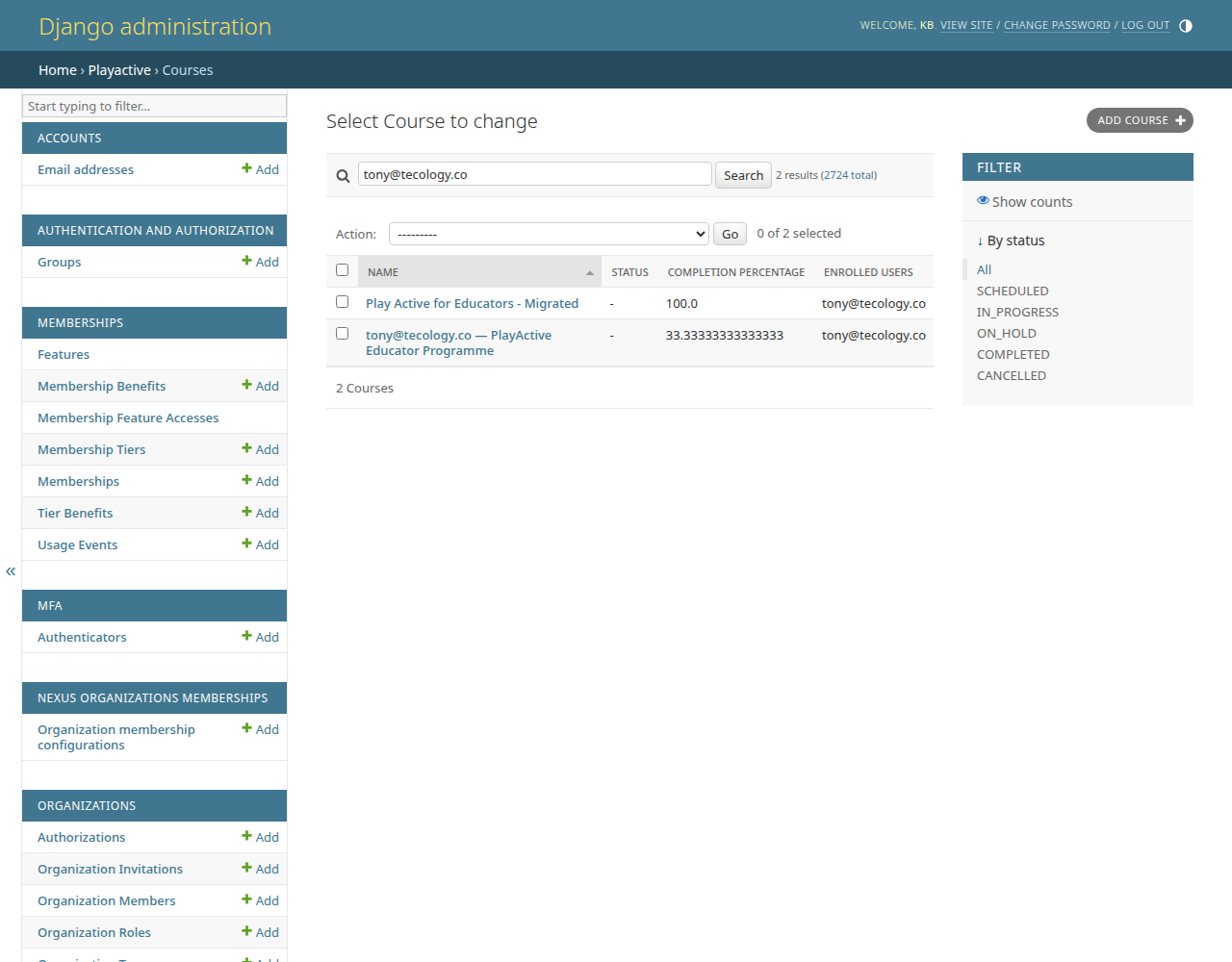
Courses filtered to one user by email.
3. Select the course(s) and run the action
- Tick the course(s) (or the header checkbox for all results).
- Action → “Mark all lessons complete (cascades to course)”.
- Press Go.
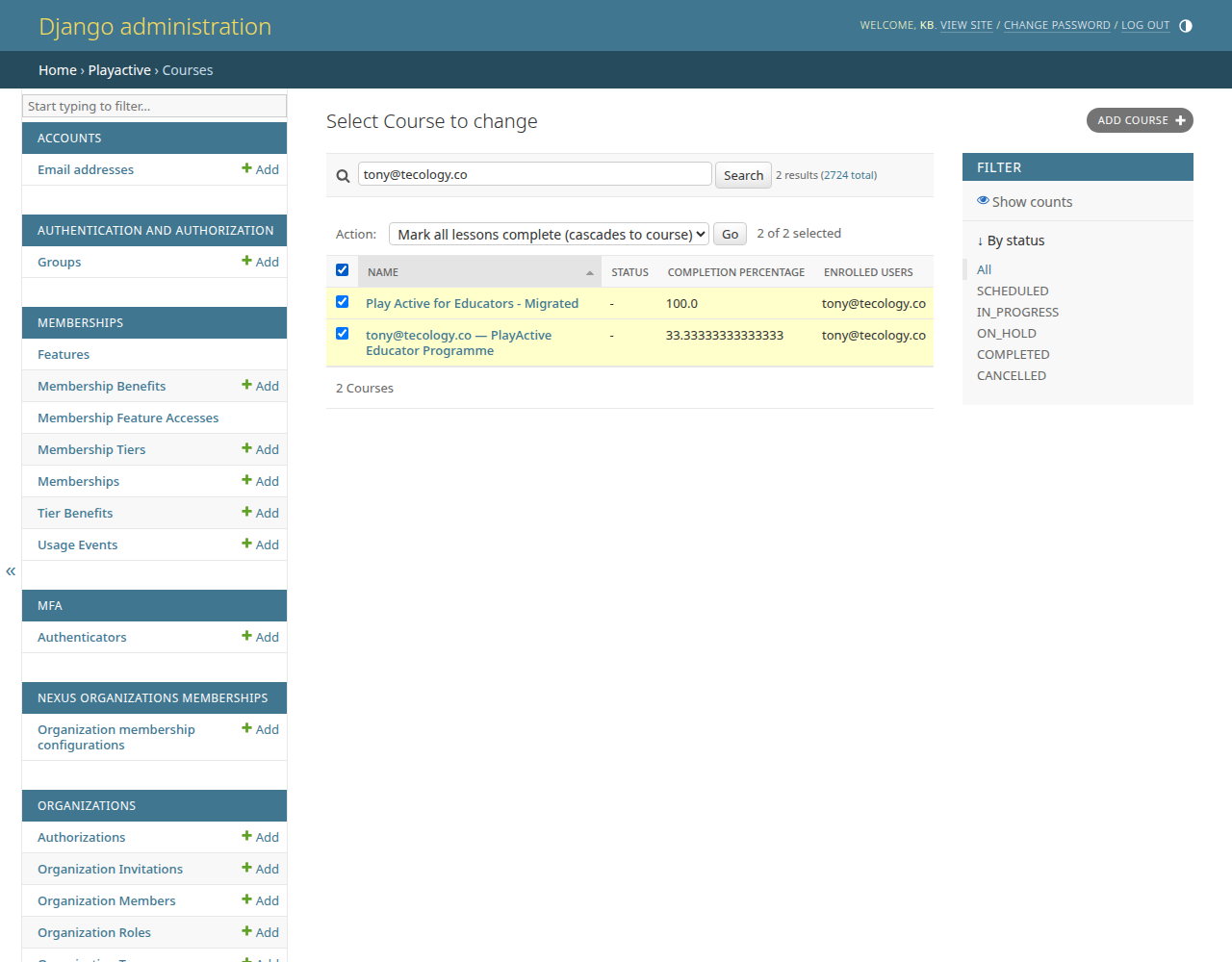
Select the course(s), choose the action, then Go.
4. Done
✅ A confirmation reports how many courses were completed. Every lesson and module is force-completed, which cascades to the course and fires the PD-complete signal — so the user's Professional Development onboarding step is now ticked off.
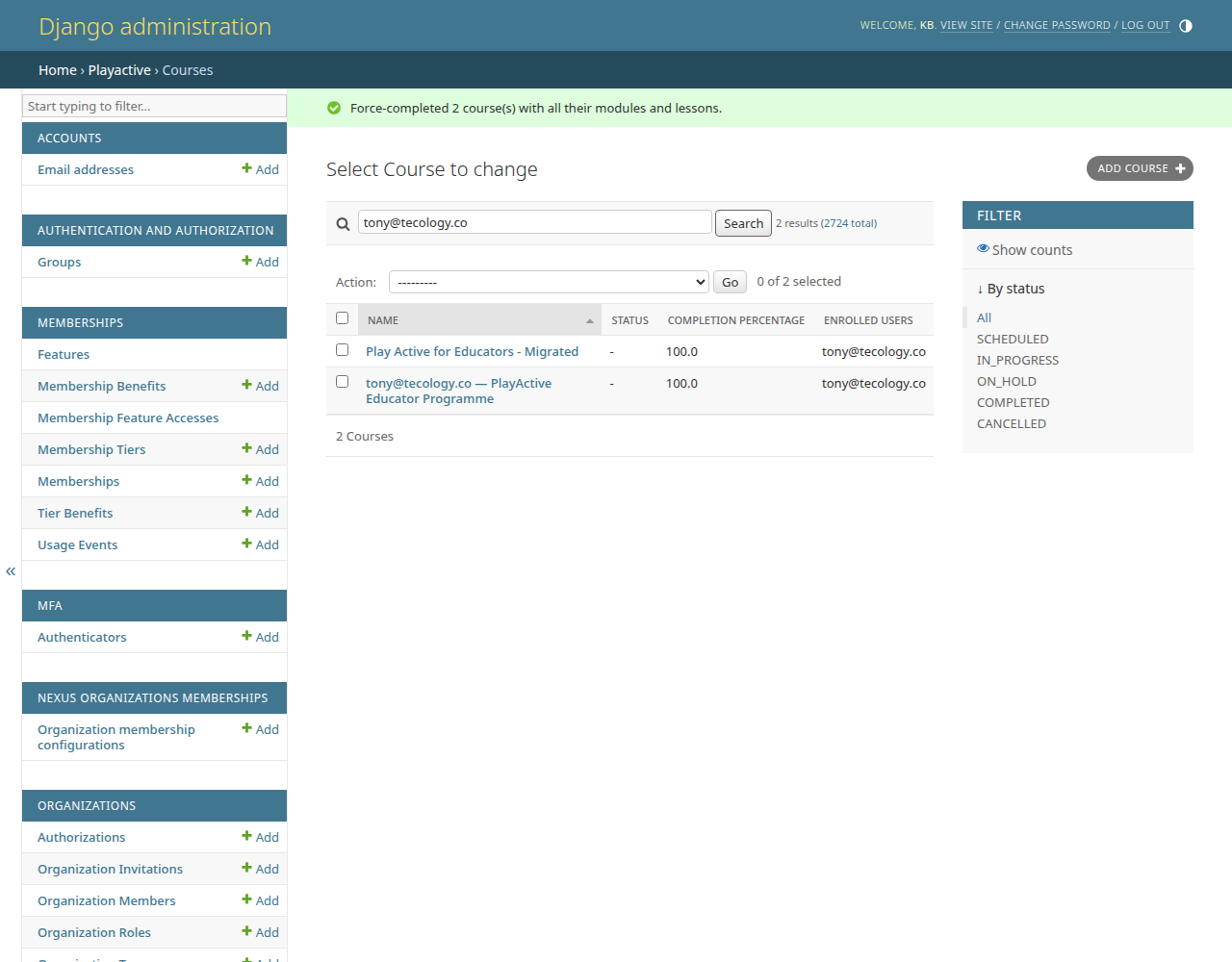
The success message after completing the course(s).
What happens behind the scenes
- The action force-completes every lesson, then each module, then the course — bypassing the usual “did they open the lesson page?” check.
- Completing the course fires the goal-completed signal, which marks the director or educator PD onboarding step complete.
- It is safe to re-run; already-completed items are skipped.